
Catalog Machine alternatives
Catalog Machine turns product data from a spreadsheet or Shopify into catalogs, line sheets and price lists that stay current. For other jobs, another tool fits better:
- Shopify apps: MakeSheet, Catalog Press, Catalogly
- One-off PDF: ChatGPT
- Flipbooks: Flipsnack, Publuu, FlipHTML5
- Hand design: Canva
- InDesign: EasyCatalog, Pagination
- Wholesale: Brandboom, NuORDER, JOOR
- Product data (PIM): Salsify, Akeneo

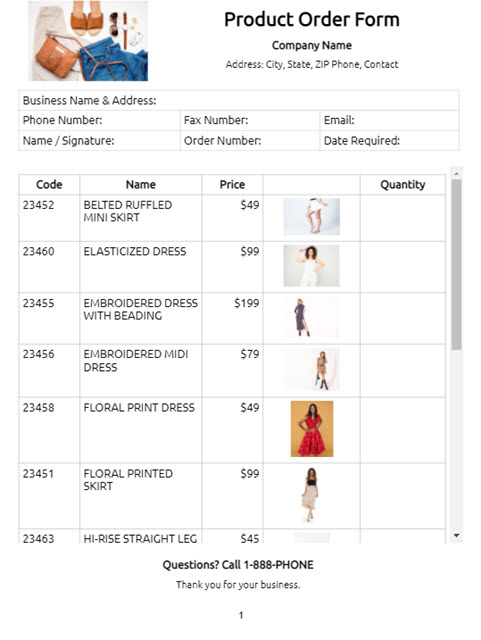
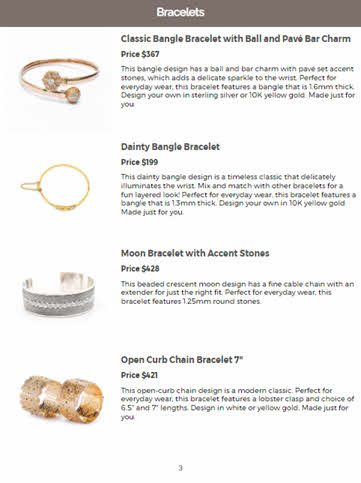
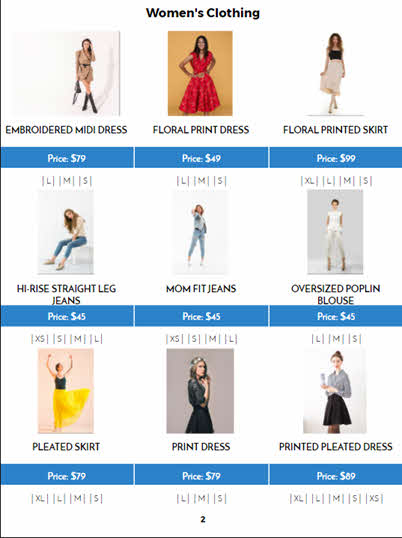
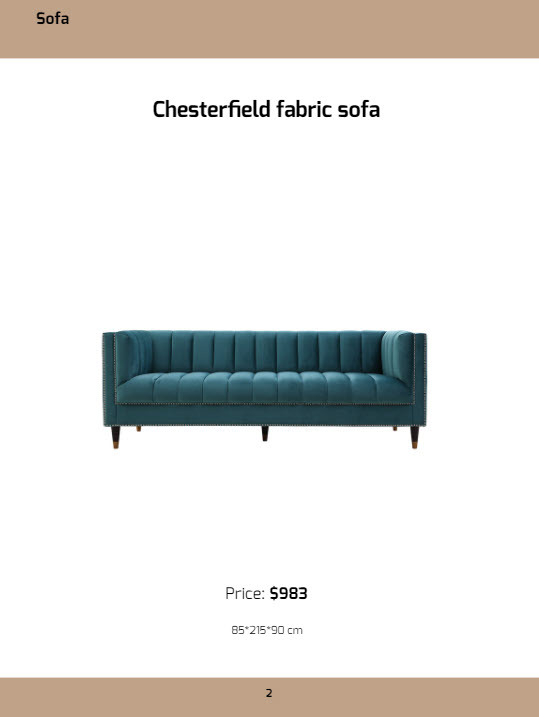
Product catalog built from a product database
Catalog Machine alternatives at a glance
Most tools that make catalogs do one of eight different jobs. Pick the job first, then the tool.
| Job | Tools | Best at | Starting price | How Catalog Machine differs |
|---|---|---|---|---|
| Product data into catalogs, line sheets and price lists that stay current | Catalog Machine | Small and mid-size product businesses with a spreadsheet or Shopify store and 50 to several thousand products | Free 15-day trial (20 products). Lite $19/mo, Pro from $49/mo. 40% off yearly. | Starts from your product data, not from a blank page or a finished PDF. |
| PDF line sheets or catalogs from a Shopify store | Shopify apps: MakeSheet, Catalog Press, Catalogly | A quick PDF line sheet or catalog from the products already in one Shopify store | MakeSheet: free plan, Pro $5.99/mo. Catalog Press: free plan, Starter $9/mo. Catalogly: free plan, Pro $9.99/mo. Billed through Shopify. | Catalog Machine is also on the Shopify App Store, and adds a live online catalog with an order form, tiered price lists, and CSV or Excel import for products that are not in Shopify. |
| A one-off price list or catalog from a chat assistant | ChatGPT and other AI assistants | Turning a pasted list or an uploaded CSV into a single PDF in minutes | ChatGPT: free plan, Plus $20/mo. | The PDF is a one-time file: when prices change you start over, and there is no online catalog or order form. Catalog Machine's AI Concierge also builds from a CSV, Shopify or your website, and the result stays in sync with your products. |
| Turn a finished PDF into an online flipbook | Flipsnack, Publuu, FlipHTML5, Publitas | Page-turn viewing, embeds and reading statistics for a document you have already designed | Flipsnack: free plan, Starter $16/mo billed yearly. Publuu: 14-day trial, Basic $7/mo on the annual plan. FlipHTML5: free plan, Pro C$18/mo billed yearly (shown to us in Canadian dollars). Publitas: Bronze €29/mo billed yearly. | They start from a PDF. Catalog Machine builds the pages from your product data, so a price change is one edit, not a new PDF. |
| Hand-design a few pages | Canva | Flexible, polished design for flyers, brochures and short catalogs | Free plan. Canva Pro US$144/year for one person. | In Canva you place every product by hand. Catalog Machine fills product cards with images, prices and SKUs from your list. |
| Data-driven catalogs inside Adobe InDesign | EasyCatalog, Pagination | Print-grade layout for teams that already work in InDesign | EasyCatalog: $1,299 per user licence, plus InDesign. Pagination: no public price, demo only. | Both need InDesign and a designer to run them. Catalog Machine runs in the browser, and the same catalog is also a live online catalog with ordering. |
| Wholesale ordering platforms | Brandboom, NuORDER, JOOR | Line sheets, buyer ordering and retailer networks for wholesale brands | Brandboom: Basic $50/mo billed annually. NuORDER and JOOR: no public price, demo or quote only. | Catalog Machine covers line sheets, wholesale price lists and an order form at a lower price, without a buyer network or showroom tools. |
| Enterprise product data (PIM) | Salsify, Akeneo | One governed product record syndicated to retailers, marketplaces and channels | Salsify: no public price, demo only. Akeneo: free open-source Community Edition and a free trial. Paid tiers by quote. | A PIM manages product data. Catalog Machine turns product data into catalogs and price lists people buy from. Some teams use both. |
When Catalog Machine is the right fit
- Your products already live in a spreadsheet, an ERP export or a Shopify store, and you do not want to retype them into a design tool.
- You send buyers line sheets, wholesale price lists or catalogs, and prices or stock change often enough that rebuilding them by hand hurts.
- You want the same products as a live online catalog with an order form and a print-ready PDF.
- You have tens to thousands of products, not a handful.
See how it works: online catalog maker, wholesale line sheets, price lists.
When Catalog Machine is not the right fit
- You need one PDF, once, and your prices rarely change. A chat assistant or a Shopify app's free plan will do.
- You already have the PDF and only want it to look like a book online. A flipbook maker does that well and some have free plans.
- You have a handful of products and want full creative freedom on every page. Canva is the better tool.
- Your studio lives in InDesign and needs pixel-level print control over a large catalog. EasyCatalog or Pagination fit that workflow.
- You need a wholesale marketplace with a retailer network, showroom appointments and fashion-week ordering. That is what JOOR and NuORDER are for.
- You need one product record feeding marketplaces, retailers and your website. That is a PIM job (Salsify, Akeneo). Catalog Machine can sit downstream of it.
Frequently asked questions
What are the best alternatives to Catalog Machine?
It depends on the job. For a quick PDF line sheet from one Shopify store, try MakeSheet, Catalog Press or Catalogly. For a single one-off PDF, a chat assistant such as ChatGPT can do it. To turn a finished PDF into a page-turn flipbook, use Flipsnack, Publuu, FlipHTML5 or Publitas. To hand-design a few pages, use Canva. To publish data-driven catalogs inside Adobe InDesign, use EasyCatalog or Pagination. For a full wholesale ordering platform, look at Brandboom, NuORDER or JOOR. To manage product data across many sales channels, use a PIM such as Salsify or Akeneo.
What is the difference between Catalog Machine and a flipbook maker?
A flipbook maker starts from a PDF you have already designed and makes it look like a printed book online. Catalog Machine starts from your product data, from a spreadsheet or Shopify, and builds the catalog pages for you. When a price or product changes, you update it once and the catalog follows, instead of redesigning and re-uploading the PDF.
Can ChatGPT make a product catalog or price list for me?
Yes, once. Upload a CSV or paste your products and ChatGPT can lay out a simple PDF. It is a one-time file: when prices or stock change you start over, and there is no online catalog, order form or tiered pricing. Catalog Machine's AI Concierge builds a catalog from the same CSV, Shopify store or website, and it stays in sync with your products.
Can I use Canva instead of Catalog Machine?
Yes, for a small catalog you design by hand. Canva is excellent for a flyer or a few pages. With dozens or hundreds of products, placing every image, name and price by hand gets slow, and every price change means editing pages again. Catalog Machine fills the pages from your product list.
Is there a cheaper alternative to JOOR or NuORDER for a small wholesale brand?
JOOR and NuORDER do not publish prices and are built for larger brands with buyer networks. A small brand that mainly needs line sheets, a wholesale price list and an order form can use Catalog Machine, with paid plans from $19 a month, or Brandboom, whose Basic plan was $50 a month billed annually when we checked.
How much does Catalog Machine cost?
You can try it free for 15 days with up to 20 products and no credit card. Paid plans start at $19 a month (Lite, 100 products), Pro starts at $49 a month, and paying yearly saves 40%.
Prices and plans on this page are the lowest paid plan on each vendor's own pricing page as of October 30, 2026, in US dollars unless marked. Vendors change prices and plans, so check their site before you buy.
Try Catalog Machine with your own products
Import a spreadsheet or connect Shopify and see your catalog built from your data. Free to start, no credit card required.
Get Started Free