
Online Catalog Maker
Catalog Machine is an online catalog maker for data-driven catalogs. Import your products from a CSV file or Shopify, design branded catalogs with built-in pricing and ordering, then publish online or export to PDF.
- Import products in bulk from CSV, Excel or Shopify
- Built for large inventories - hundreds to thousands of SKUs
- Built-in pricing, ordering and payments
- Publish a shareable online catalog or export a print-ready PDF

Online product catalog built from a product database
Everything you need to build an online catalog

Import from CSV, Excel and Shopify
Bring your products in in bulk from a spreadsheet or sync them from Shopify and other stores. Re-import any time and your catalogs update automatically.

Design branded catalogs, no design skills needed
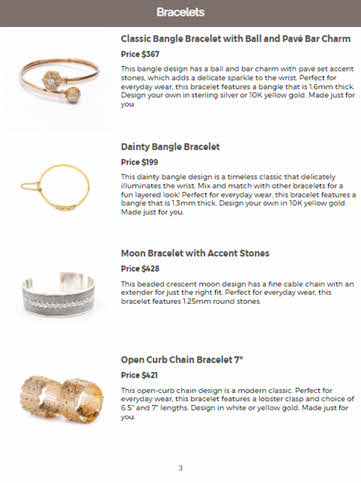
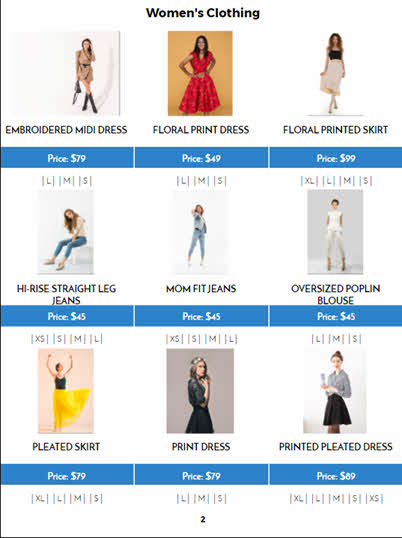
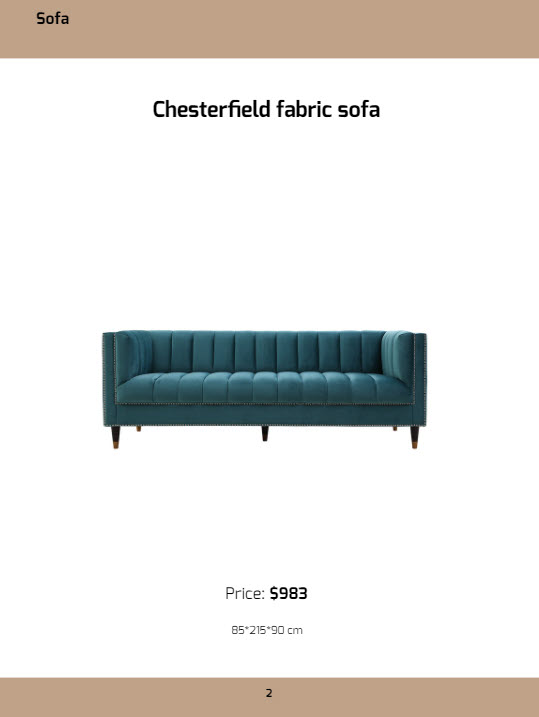
Start from 50+ templates and layouts, then apply your brand colors, fonts and logo. Drag-and-drop product cards with prices, images and descriptions.

Built-in ordering and order forms
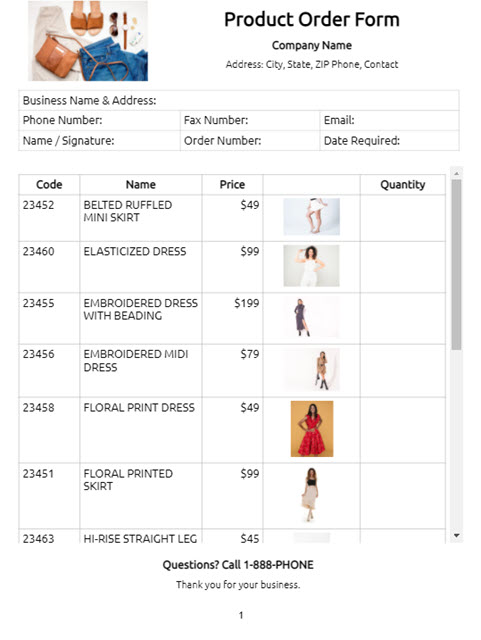
Add a pre-built order form so customers can place wholesale and B2B orders straight from the catalog. Manage inventory so only in-stock items can be ordered.

Pricing and tiered price lists
Set list, wholesale and tiered prices, then target different customer segments with their own catalogs and price lists. Collect payments online.

Publish online and export PDF
Share a live online catalog by link, embed it on your site, or download a print-ready PDF - all from the same product data. Add privacy levels and password protection.

AI Concierge builds it for you
Describe your products, upload a CSV, paste a website URL or drop in images and the AI Concierge organizes everything into a professional catalog.
Start with a free online catalog template
-07e0a744-b7e6-4252-82df-2f4eb6ef0d5b)
Clothing Lookbook - Minimal

Clothing Lookbook - Editorial

Apparel Catalogue Multiple Images

Beauty Lookbook
-07e0a744-b7e6-4252-82df-2f4eb6ef0d5b)
Clothing Lookbook for Women

Create your own template
Integration with e-commerce stores and automation tools
Build Online & PDF catalogs for your Shopify, Etsy, eBay, Magento, PrestaShop, WooCommerce stores. Automate with Zapier and boost your marketing power.

How to make an online catalog in 4 steps

Import your products
Add products by hand, import them in bulk from a CSV or Excel file, or sync them from Shopify. Your products live in a reusable product database with images, prices, variants and custom fields.

Design your catalog
Pick a template and layout, then apply your brand colors, fonts and logo. Product cards fill in automatically from your data, so a large catalog comes together fast.

Add pricing and ordering
Show list, wholesale or tiered pricing and turn on a built-in order form so customers can order and pay directly from your online catalog.

Publish and share
Publish a shareable online catalog, embed it on your website, or export a print-ready PDF. Update your products and the catalog stays in sync.
Tips for building an online catalog
An online catalog does more than list products. Done well, it becomes a working part of your sales process - searchable, shareable, and always up to date. A few things that separate a catalog that sells from one that just sits there:
Start from your data, not a blank page. If you already keep products in a spreadsheet or an ecommerce store, import them rather than retyping. It is faster, it avoids errors, and it means large catalogs stay manageable when prices or stock change.
Keep one source of truth. Store each product once in your product database and pull it into as many catalogs, price lists and order forms as you need. When a product changes, update it in one place and every catalog reflects it.
Make it easy to buy. Add a clear order form or a link to your store next to your products. An online catalog with built-in ordering and payment turns browsing into orders instead of emails back and forth.
Publish where your customers are. Share the same catalog as an online link, embed it on your website, and export a PDF for buyers who want a file. One catalog, every format.
Why use a data-driven catalog maker?

Most catalog makers are design tools first: you place products on pages by hand. That is fine for a small, image-led brochure, but it does not scale to a real product range that changes over time.
Catalog Machine is built around your product data. You import or add products once, then generate catalogs, price lists and order forms from that single database. That is what makes it a fit for wholesalers, manufacturers and retailers with large inventories, not just a few showcase pages.
- Handle scale without the busywork. Import hundreds or thousands of products from CSV, Excel or Shopify and pull them into a catalog in minutes instead of laying out every page manually.
- Stay current automatically. Re-import or edit your products and your catalogs update with the new prices, images and stock. No re-designing when your range changes.
- Turn catalogs into orders. Built-in pricing, order forms and online payments mean your catalog is a sales channel, not just a PDF. Target different customers with tiered pricing and their own catalogs.
Trusted by Thousands of Businesses
Testimonials
“Catalog Machine is an easy to use program that allows us to organize our products by collection and manufacturer quickly and easily. Our representatives can now show our customers what we carry on a device, share via email, or print at any given time.”
Brands Creating Catalogs With Us

Make an online catalog straight from your product data
The fastest way to build an online catalog is to not build it by hand at all. If your products already live in a spreadsheet, an accounting system or an ecommerce store, Catalog Machine turns that data into a branded catalog.
- Bulk import from CSV or Excel: map your columns once - name, price, SKU, description, images, variants and custom fields - and import your whole range in one go.
- Sync from Shopify and other stores: pull products, images and pricing straight from your ecommerce catalog so your online catalog matches your storefront.
- Built for large inventories: keep hundreds or thousands of SKUs in a searchable product database and pull them into catalogs, price lists and order forms.
- Automatic updates: when your prices or stock change, re-import or edit once and every catalog that uses those products updates too.
- Automate with Zapier and the API: connect Catalog Machine to the tools you already use and keep your catalog data flowing without manual work.
This is the difference between a design tool and a catalog maker built for real product ranges: your catalog is generated from data you already have, and it stays in sync as that data changes.
Catalog Machine vs other online catalog makers
Many popular catalog makers are design-first flipbook tools: great for interactive page-turn brochures, but they leave out the data, pricing and ordering that a product business needs. Here is how Catalog Machine compares on the axis that matters when you have a real product range.
| Capability | Catalog Machine | Design-first catalog makers |
|---|---|---|
| Import from CSV / Excel | Yes | Rarely |
| Sync from Shopify and ecommerce | Yes | Rarely |
| Large inventories (100s to 1000s of SKUs) | Yes | Limited |
| Wholesale / B2B ordering and order forms | Yes | No |
| Built-in pricing and online payments | Yes | No |
| Automatic updates when product data changes | Yes | No |
| Zapier and REST API automation | Yes | Rarely |
| Online and PDF output | Yes | Yes |
| Interactive online viewer | Yes (full-screen, swipe, mobile-ready) | Yes, page-turn flipbooks (their focus) |
If you mainly want an interactive page-turn brochure, a design-first tool may be all you need. If you have a product range to keep current and sell from, a data-driven catalog maker does the work a design tool cannot.
Related: build a price list, a wholesale line sheet, or let the AI Catalog Expert build your catalog from a conversation. Comparing tools? See Catalog Machine alternatives by job.
Frequently asked questions
Is Catalog Machine free to use?
Yes. You can start building an online catalog for free, no credit card required. Paid plans add more products, catalogs and features as your inventory grows.
Can it handle large catalogs with thousands of products?
Yes. Catalog Machine is built for data-driven catalogs. You keep your products in a searchable product database and pull them into catalogs, so hundreds or thousands of SKUs stay manageable instead of being placed by hand one page at a time.
Can I import products from Shopify or a CSV file?
Yes. Import your products in bulk from a CSV or Excel file, or sync them from Shopify and other ecommerce stores. When your source data changes, you can re-import and your catalogs update automatically.
Can customers order from the catalog?
Yes. Add a built-in order form so customers can request quotes or place wholesale and B2B orders directly from your online catalog, and collect payments online.
Can I export my catalog to PDF?
Yes. Every catalog can be shared as an online link or exported to a print-ready PDF, so you can publish online and send a downloadable catalog from the same product data.
Start building your online catalog today
Import your products, design a branded catalog with pricing and ordering, and publish it online or as a PDF. Free to start, no credit card required.
Get Started Free